Discover a smarter way to enjoy live TV, movies, and series with the tivimate iptv player—a platform built to deliver smooth, reliable entertainment. Designed for viewers who want a clean interface and stable streaming, this solution brings your IPTV experience to a whole new level.
With high-quality playback, easy navigation, and a robust feature set, the tivimate iptv player stands out as one of the most user-friendly IPTV apps available today.

Key Highlights
- Smooth and uninterrupted streaming
- Clean, intuitive interface
- High-quality playback for a cinematic feel
- Stable performance on compatible devices
- Advanced tools optimized for IPTV streaming
What Is the tivimate iptv player and How Does It Work?
The tivimate iptv player is an IPTV application that allows users to stream online channels and on-demand content by using playlist links provided by an IPTV service.
Core Features and Functionality
This app makes it easy to load IPTV playlists in various formats. It includes an advanced Electronic Program Guide (EPG), letting you quickly see what’s playing now and what’s coming up. With organized menus and powerful options like recording and timeshift, the tivimate iptv player offers complete control over your viewing.
Supported Devices
You can use tivimate on a wide range of devices, including:
- Android phones and tablets
- Android TV and TV boxes
- Firestick devices
- iOS devices (iPhone and iPad)
- Select Smart TVs and MAG boxes
Legal Reminder
While the tivimate iptv player is a legitimate application, users must ensure they subscribe only to legal IPTV services. Unauthorized content sources can lead to legal risks. Always use verified IPTV providers for a safe experience.
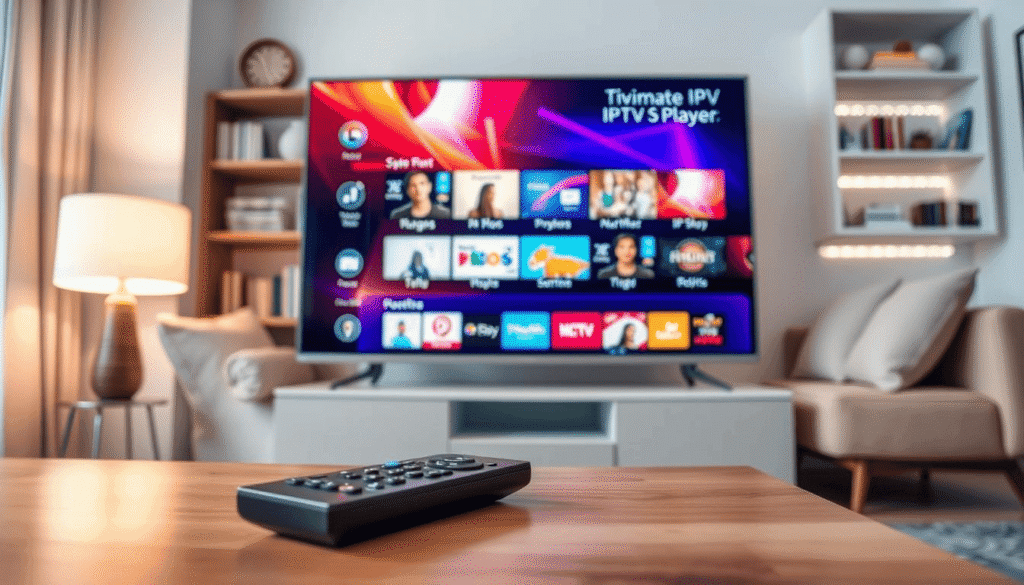
Powerful tivimate iptv player Features That Improve Your Streaming
The tivimate iptv player is packed with tools that give you a smooth and customizable entertainment experience.
Clean Interface and Simple Navigation
The interface is designed for speed and convenience. Categories, menus, and channel lists are neatly arranged, making it easy for new and experienced users alike.
Channel Grouping & EPG Support
With built-in EPG integration, tivimate displays detailed schedules, channel information, and upcoming programs. Organizing channels into folders or favorites is simple, giving you total control.
Recording, Timeshift & Playback Options
You can pause, rewind, or record live content with ease. Timeshift lets you jump back during live broadcasts, making interruptions stress-free. The playback features are smooth and responsive, enhancing every session.
How to Install and Set Up the tivimate iptv player
Getting started is quick and simple.
Step-By-Step Installation
- Download the tivimate app from the Google Play Store or official source.
- Install and open the application.
- Complete the initial setup and adjust basic preferences.
Adding IPTV Playlists
Obtain a playlist URL from your IPTV provider.
Inside tivimate:
- Go to Settings
- Select Add Playlist
- Enter your m3u URL or upload a file
You can later update, remove, or organize playlists as needed.
Optimizing Performance
A few key settings help maximize performance:
- Buffer Size: Increase if streams lag
- Resolution Settings: Match video quality to your internet speed
- EPG Options: Customize how your schedule loads and displays
tivimate iptv player Pricing: Free vs. Premium
The app comes in two versions:
Free Version
- Basic channel loading
- Standard interface
- Limited customization
Premium Version
- Advanced channel management
- Multi-playlist support
- Enhanced EPG
- Playback improvements
- Priority support
Subscription Options
Tivimate offers monthly, yearly, and lifetime plans. Payments can usually be made via major cards or digital payment providers.
Activating Premium
Simply open the app, choose Go Premium, complete payment, and all premium features will activate instantly.
How the tivimate iptv player Compares to Other IPTV Apps
Here’s how tivimate stacks up against other popular IPTV players:
Tivimate vs. IPTV Smarters Pro
| Feature | tivimate iptv player | IPTV Smarters Pro |
|---|---|---|
| Interface | Clean & minimal | More feature-heavy |
| EPG | Strong integration | Strong integration |
| Parental Controls | No | Yes |
Tivimate vs. Perfect Player
Perfect Player is known for customization, while tivimate focuses on simplicity and ease of use. If you’re new to IPTV, tivimate delivers a smoother experience.
Final Thoughts: Enjoying the Best With the tivimate iptv player
The tivimate iptv player is built for IPTV users who want clarity, speed, and simplicity. With EPG support, timeshift, recording, and a polished layout, it brings an elevated entertainment experience to any device.
Explore its settings, customize your playlists, and enjoy a personalized, powerful streaming platform.
Why You Should Buy From TVNado – And Why We’re the Best
At TVNado, we go far beyond just selling IPTV services. We deliver a complete premium experience designed for stability, quality, and reliability. Here’s why thousands of users choose us:
✔ 100% Verified, Premium IPTV Service
We provide fast, smooth, and legal IPTV solutions to pair perfectly with the tivimate iptv player.
✔ Ultra-Fast Servers for Zero Buffering
Our optimized servers ensure stable connections and crisp HD/4K streams.
✔ 24/7 Customer Support
Instant, friendly assistance whenever you need help—something most IPTV sellers lack.
✔ Simple Setup for All Devices
We provide clear guides and support for Android, Firestick, Smart TVs, and more.
✔ Money-Back Guarantee
Try us risk-free. If you’re not satisfied, we refund you—no hassles.
✔ Trusted Worldwide
TVNado is known for reliability, quality, and excellent customer experience.